Sorry everyone, my web host upgraded their servers and broke the web server that served the svsoggypaws.com website. The site was down for several days. It seems to be back up now. Thanks for those who let me know.
I am still trying to update the backlogged posts and organize pictures to add to the posts Ive already posted on our eastern Indonesian adventures in the past 5 months. We are currently in Ternate (actually anchored in the neighboring island of Tidore), and leaving this morning for an overnight passage to Bitung. We plan to check out of Bitung in a few days and head north back to the Philippines, where we'll leave Soggy Paws for a trip home this fall.
Sherry
Tidore, Halmahera, Indonesia
Showing posts with label Geeky Stuff. Show all posts
Showing posts with label Geeky Stuff. Show all posts
Monday, July 17, 2017


Saturday, December 25, 2010
Getting Ready for 2011
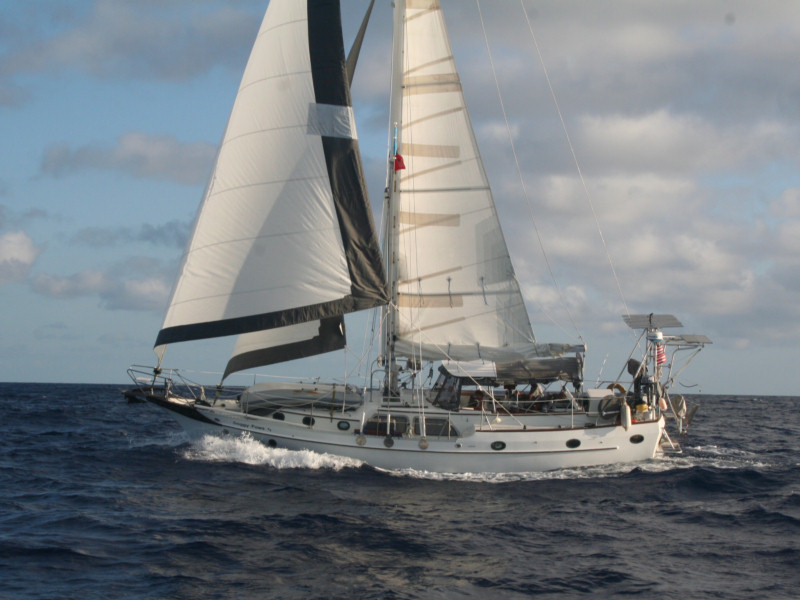
If you've landed here looking for Sherry & Dave's blog about sailing around the world on s/v Soggy Paws, you're in the right place.
I'm trying to consolidate my blogs into one, so have started a new one with no date in the title. I have successfully merged all posts from 2006 to 2009 here, and am working on 2010.
Tuesday, October 12, 2010
Is an e-Reader in our future?
We have been envious of a few cruisers who have had Kindles on board, and are seriously contemplating buying one or two e-readers while we're back in the Land of Stuff. Not just for the downloadable books, but also because we now have many manuals and cruising guides in PDF form.
I knew about the Kindle and the iPad, but didn't realize that there are now about 20 other brands of similar devices. Uh-oh, choices!! Now just trying to sort out price vs. functionality, etc.
Someone told us 'definitely the iPad is the best', but then I looked at the iPad starting price and had a heart attack. Another friend highly recommended the Kindle 3 over the iPad--better daylight readable, better battery, and a significantly better price. At $139 for a new Kindle 3, we could actually afford to buy 2.
I knew about the Kindle and the iPad, but didn't realize that there are now about 20 other brands of similar devices. Uh-oh, choices!! Now just trying to sort out price vs. functionality, etc.
Someone told us 'definitely the iPad is the best', but then I looked at the iPad starting price and had a heart attack. Another friend highly recommended the Kindle 3 over the iPad--better daylight readable, better battery, and a significantly better price. At $139 for a new Kindle 3, we could actually afford to buy 2.
Saturday, September 12, 2009
Another Cool New Gadget

This has nothing to do with boating, but with living in a small space.
We never used the LCD TV that we had onboard, so we sold it at a cruiser's flea market earlier this year. But while we've been 'on the road', several times we've wished we had television capabilities. So I researched what might be available to get TV on my laptop.
Before we left the boat, I ordered a Hauppauge USB WinTV-HVR-950Q
 . It only costs $70 from Amazon.com. The package includes the tuner, which is a USB device a little fatter than a memory stick, a small antenna, a remote control the size of a PCMCIA card, and a USB extension cord (in case you are trying to squeeze it in with something else in 2 side-by-side USB slots). Plus a connector to feed an external video source into your laptop.
I finally got it set up and got time to play with it today, and I'm impressed! Sitting at my dining room table on the ground floor in Satellite Beach, with the supplied mini antenna, I'm getting about 10 digital channels out of thin air (most from Orlando and Daytona). You can also hook a cable feed to it, but that's not what I'm after. It will also pick up old-style analog signals, and I THINK it will do the European PAL format too (will let you know after we go to Europe).
Not only does it tune TV channels on your laptop, but it can also function as a DVR (digital recorder), so you can record shows for later playback.
In about 10 minutes, the supplied software had scanned for all available Analog and Digital channels, and from then, to change channels, you just up or down arrow on your keyboard. (There's a remote, but I haven't played with that yet).
It seems to run fine on my Eee 1000 laptop, as long as the signal is strong enough. It can run full screen or in a smaller window. I've got 3 Internet Explorer sessions, Outlook, and the Windows Performance Monitor and I'm using up less than 50% of the CPU.
The software that comes with it is a little klunky, but there's a new version coming out soon. It does the job, it's just a little less intuitive to use.
I'm currently using a 21-day free trial of a $99 software product called BeyondTV. With an internet interface, it effortlessly provides the on-screen programming content that we've all become used to with Cable TV Smart Boxes.
This is a great option for 'road warriors' who want to get local news and weather on their laptop.
And for a boat or house 'installation', before you go out and spend big bucks on a hyped 'digital TV antenna and amplifier' (in the $100-$200 range), check out this video on how to build your own TV antenna out of coathangers. I haven't made one (yet), but it looks like fun and supposedly does a great job.
Have fun!
Saturday, May 9, 2009
Why I am so behind on blog updates

Though I do have some legitimate excuses (lots of travel, jet lag, a cold), one of the main reasons I haven't caught up on our travel posts on the blog is because we got a new computer when we stopped in Satellite Beach.
Just before we left Ecuador, we helped a fellow cruiser out who was in desperate straits... no charts and his navigation PC had crashed. He was in a hurry to make the trip from Ecuador to Panama, and couldn't get a computer in Ecuador for a reasonable price. So we sold him our old Dell 1000, stuffed with all our navigation software, for $250. And then we turned around and bought this new Eee PC for only $379. So I have spent all my spare time in the last few days trying to get all my stuff moved over to the new computer. (I am only about halfway there!)
The model I got is the ASUS Eee PC 1000HE 10-Inch Netbook. It is small, great for traveling, but not too small to be usable as a laptop. It has built-in microphone and speakers, AND a webcam. So great/easy for doing Skype on the road. AND it has an 8 hour battery, for those long bus/airplane rides, and a really solid case, necessary for the abuse that my laptops take.
It doesn't come with a CD/DVD, so you have to buy that extra. I bought a Samsung from Amazon for about $$65 that will run totally off the USB, without having to plug it into external power.
 I also bought a copy of Microsoft Streets and Trips 2009 and a cute little USB GPS. Though Streets and Trips has a version that comes with a GPS, I chose to get an alternative GPS because the reviews on its receiver were much better than the MSoft one.
We've been having fun playing with it. I was amazed that the GPS actually receives a good signal inside our hotel room (my Garmin eTrex would never do that).
We will move the used Dell D400 that I bought last year to be our 'primary navigation computer'. It uses much less power than the older Dell with the Pentium 4 processor that we sold (that was part of our motivation for selling it). And this new Eee PC will be configured as a full backup for our navigation computer, in case we need it, as well as be our primary 'road trip' computer.
My very nice (but heavy, and also rusting) 17" HP laptop that I bought in 2006 is still working, but the LCD screen is dead. The cost to get a replacement screen was a whopping $400, so we opted to buy a new computer instead! It is now in deep storage aboard as a last ditch backup, usable only with an external monitor.
Subscribe to:
Posts (Atom)